Showing posts with label Tools. Show all posts

Rotation - Orientation Manager v6.0.7 APK

Cover art
https://play.google.com/store/apps/details?id=com.pranavpandey.rotation

Description

Use your device in any orientation with most intuitive and customisable manager!

Some strings will be updated soon. Stay tuned!


"Rotation Lets You Take Full Control of Your Device’s Orientation Settings." -XDA Developers
"Incredibly complete, professional and polished app." -Phone Arena
"Rotation on demand lets you select screen rotation on the fly without having to switch to the app first." -addictivetips


ABOUT:-
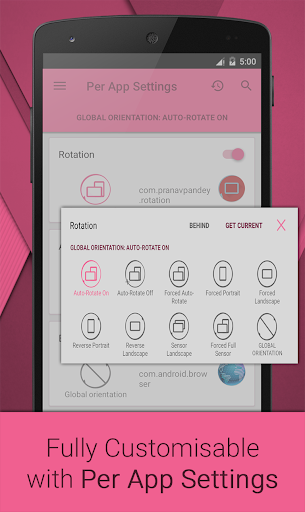
Rotation is a tool to control device orientation. It offers all the modes that Android supports and you can also override each app settings to rotate according to your need. It doesn't matters that app has that mode, it completely overrides the app and system settings. Let's give it a try and it also has lots of other useful features.

Support and News on Facebook:-
https://www.facebook.com/rotationpranavpandey


FEATURES:-

Languages:-
English, Deutsch, Français, Pусский, Türkçe, 中文 (简体)

Supported modes:-
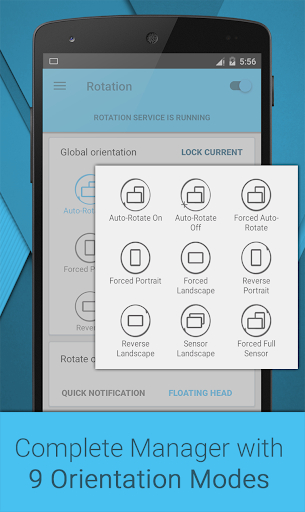
System default modes
* Auto-Rotate On * Auto-Rotate Off
Modes to override system settings
* Forced Auto-Rotate * Forced Portrait * Forced Landscape
* Reverse Portrait * Reverse Landscape
* Sensor Landscape * Forced Full Sensor
Lock Current:- Lock current orientation

Per App Settings:-
* Set orientation for individual apps
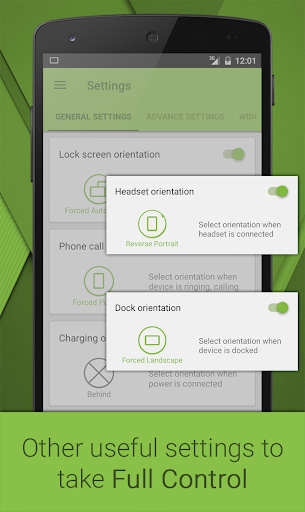
* Set Lock screen, Phone call, Charging, Headset and Dock orientation
* Android 5.0 (L/Lollipop) supported

# Rotate on demand:-
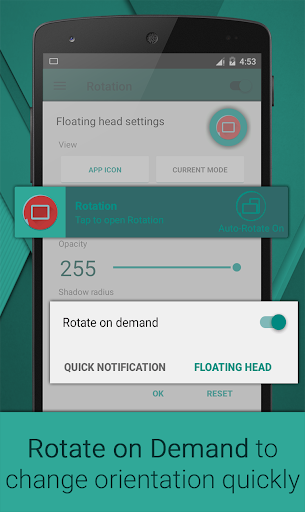
* Floating head: Fully customisable head on top of every app to change foreground orientation
* Quick notification: Change foreground orientation from notification

Notifications:-
* Enable for uninterrupted service
* Select click action
* Add toggles to change orientation quickly

Widgets:-
* Service widget: Toggle service
* Mode widget: Toggle between two selected modes
* Dynamic widget: Add toggles according to your need
* Lock screen support (Android 4.2.2+)

User Interface:-
* Light and dark base themes inspired from Material UI
* Theme accents with support for Xperia™ theme accents

Other features:-
# Rotation Automate:- Tasker / Locale plugin support to automate over 20 actions
* Rotation Shortcuts:- Add fully customisable shortcuts to your home screen
* Start on boot:- Start rotation service on boot
* Vibration:- To notify when screen orientation changes with customisable vibration length
* Help and Info:- Detailed info about orientation modes and easy to understand Tutorial

In-built support:-
# Backup and Restore
* Restore defaults
* Restart app
* Uninstall option

Features marked with # are free for 7 days. After that Rotation Key is required.


PERMISSIONS:-
Usage statistics (5.0+): For per app settings
Retrieve running apps: For per app settings
Modify system settings: To change system settings
Draw over other apps: To change foreground orientation
Run at startup: To start service when device boots up
Vibration: To vibrate device when orientation changes
Modify USB storage: To create and restore backup (nothing else)
Root Checker Pro v3.73 APK (Paid)
Cover art
https://play.google.com/store/apps/details?id=com.joeykrim.rootcheckp

Description

**** THIS APPLICATION DOES NOT REQUIRE ROOT ACCESS ****
**** THIS APPLICATION WILL NOT ROOT THE DEVICE ****

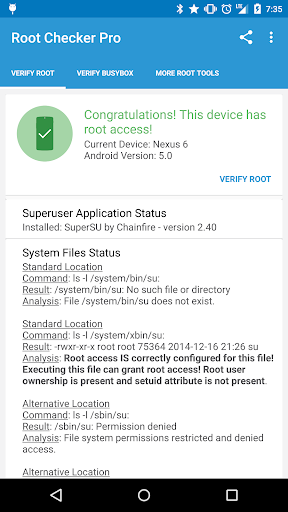
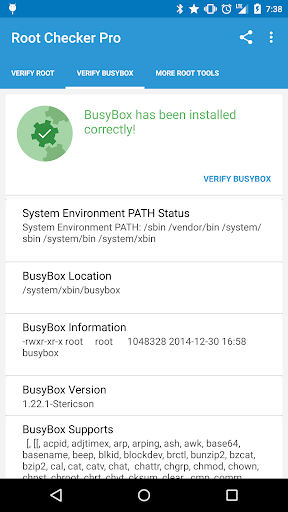
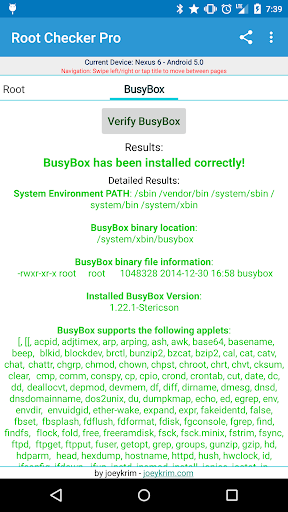
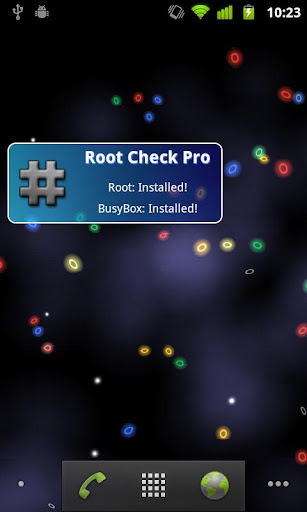
This application will allow the user to confirm they have proper root ( superuser ) access and a proper BusyBox installation.

The goal of this application is to provide even the newest Android user with a simple method to check their device for root access. This application will also allow the user to verify a proper BusyBox installation.

For the more advanced and technically inclined users, many important details are provided around the Root and BusyBox installation. The application presents all the details needed to properly troubleshoot any root or BusyBox issues.
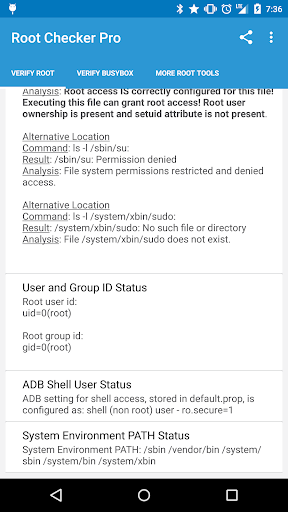
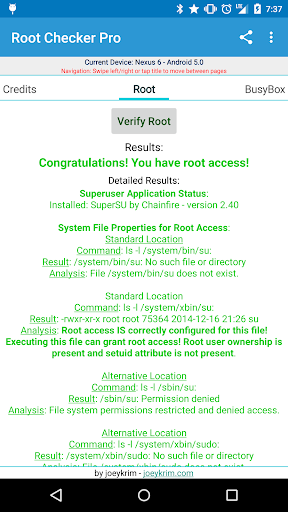
The Root Check mode displays, common su binary locations and file permissions, along with root uid/gid results, Superuser.apk installation and version, adb shell default user mode, and the System defined PATH.

The application makes it very simple and easy export the detailed output via email or any other social media application installed on the device. One simple button allows Root or BusyBox details to be shared for collaborating or troubleshooting!

This application will test the device for root access. Very simple, quick and reliable test method to check for root access. The su binary is the most common binary used on Android devices to grant root access. This application will check and verify the su binary location and permissions on the device. This information is generally the most helpful in diagnosing issues with root access.

A common method for resolving issues around properly installing and configuring root access via the su binary is to gather the permissions around the su binary along with the installation location. All this information is quickly summarized in a few seconds by this application. To grant even greater convenience, this information can be quickly exported and shared for assistance in resolving su binary and root issues.

The widget provided along with this application allows easy and constant monitoring of root access status. The widget allows the user to setup a timer interval to check for root and busybox status. The widget will always keep the user up to date via on screen widget notifications regarding root and busybox installation and operating status.

Gaining root access varies based on manufacturer, model, and carrier. The application currently provides rooting guide links to over 40 devices and is expanding.

Advanced Download Manager Pro v4.0.3 APK (Paid)

Cover art
https://play.google.com/store/apps/details?id=com.dv.adm.pay

Description

Features:
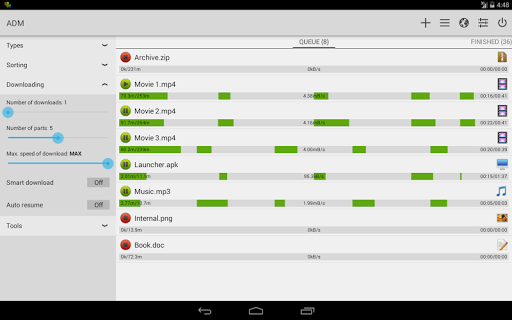
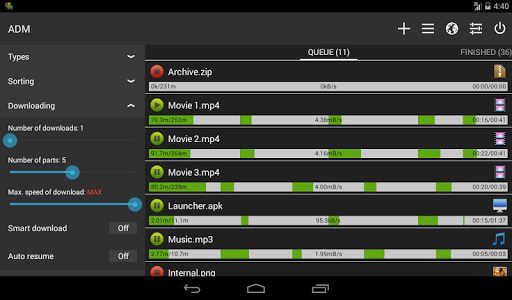
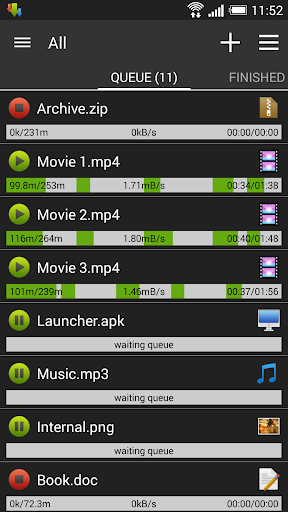
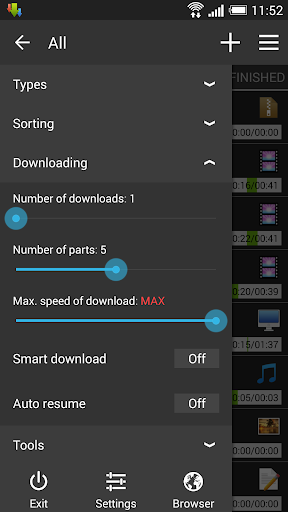
- downloading from internet up to three files simultaneously;
- accelerated download by using multithreading (9 parts)
- download files in background and resume after pause;
- interception of links from the browser and clipboard;
- icon with progress of download in notification panel;
- transparent progress-bar on top of all windows;
- completion notification by sound and vibration;
- backup list of downloads and settings in file;
- save different file types in different folders;
- context menu for easy management of downloads;
- smart algorithms for increased speed of downloading;
- video downloader and music downloader for streaming;
- autostop downloads if the battery charge level is low;
- supporting profiles for each type of connection;
- sorting downloads by type, order, size, name;
- download only through the internet on Wi-Fi;
- import a list of downloads from a text file;
- adapting to the latest versions of Android;
- supports resuming of interrupted downloads;
- fastest browser with history and bookmarks;
- automatic actions after complete download;
- interception of mp4 video from some tubes;
- automatic restart downloads after errors;
- option User-Agent to select the browser;
- speed up for download from file-sharing;
- select the folder for downloaded files;
- loader for all video and audio types;
- automatic pause after disconnection;
- parallel downloading files in queue;
- interface customization and themes;
- automatic operation for schedule;
- planning download at right time;
- support quick autoadd download;
- integration with built-in browser;
- fine-tuning for each download;
- create profiles for sites;
- widget on home screen.


Add links from browser:
- press on link and from window "Complete action using" select ADM Editor;
- long press on a link to display the context menu, press "Share" or "Send" and from window "Share via" select ADM Editor;
- copy link, after program intercept it from clipboard and send in ADM Editor;


Controls:
- press on the download to start/stop the process;
- press on the completed download to open the file;
- long press on download to display the context menu.


YouTube is not supported under the rules of Google.

2G 3G switcher & data counter v2.6.0 APK

Cover art
https://play.google.com/store/apps/details?id=msd.n2g.n3g

Description

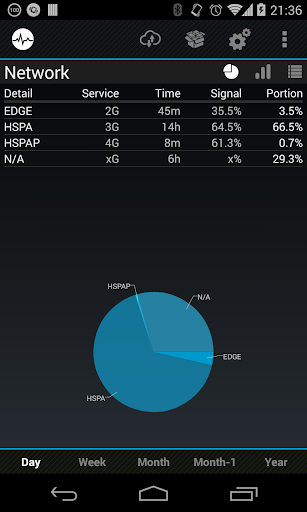
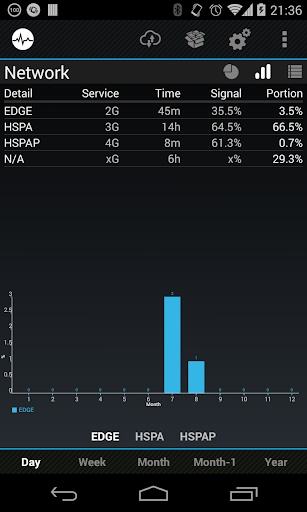
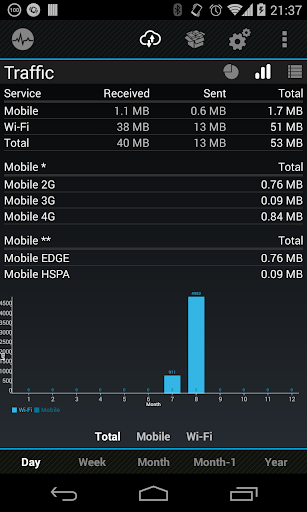
2G, 3G, 4G, CDMA switch & network monitor & data traffic counter with graphs and statistics

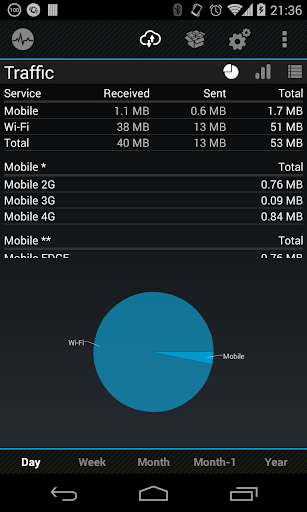
If you wish to know what network do you use most and how good coverage has your operator, you are on right place. This network monitor also provide information about data usage over mobile connection and Wi-Fi connection.
It is also possible to use one of widgets to toggle 2G and 3G network.

★Basic features
• monitor current network status and show network usage in graphs and tables
• monitor data traffic counter with graph and tables for applications
• monitor data traffic counter with graph and tables for mobile data
• monitor data traffic counter with graph and tables for Wi-Fi
• widget to toggle network mode (2G/3G/4G/…) - it is only shortcut, because Google block access to change it directly
• widget to toggle mobile data, synchronization, Wi-Fi, Wi-Fi tether/Wi-Fi hotspot
• widgets 1x1 for data traffic counter
• notification for lost signal
• 5 color schemes
• no advertisement

★Premium features
• unlimited monitor data traffic counter with graph and tables for applications
• unlimited monitor data traffic counter with graph and tables for mobile data
• unlimited monitor data traffic counter with graph and tables for Wi-Fi
• notification for mobile data limit
• widgets 2x1 for data traffic counter

★Application detect following networks
2G (GPRS), 2G (EDGE), 3G (UMTS), 3G (HSDPA), 3G (HSPA), 3G (HSUPA), 3G(EHRPD), CDMA (RTT), CDMA, CDMA (EVDO 0), CDMA (EVDO A), CDMA (EVDO B), IDEN, 4G (LTE), 4G (HSPAP)
HSPAP is considered as 4G, because it allows similar speed as LTE.

★Important
You must run once after installation the application, otherwise Widgets will not work! Also if you use Task Killer, put this app to ignore list! This application doesn´t drain battery. Don´t say it, if you can´t prove it. If you wish to check it by yourself, use applications for it. Please always keep application updated to avoid any problems.

★Help improve application
• If you wish to make this application better:
- let me know how do you think I can do it instead negative rating without explanation
- share with your friends
- help me to translate text to your language or correct localization
- unlock premium

★How to renewal license
Renewal is required only when you install application on new device or reinstall on any device.
• functional internet
• activated synchronization account under which the application was purchased
• turn on the application and the license will be retrieved from the Google servers

★*Widget to toggle Wi-Fi tether/Wi-Fi hotspot by one click!
This function is not supported on many devices, but it should work on many of them. Please don´t rate this application badly, if it is not working for you. There can be a lot of reasons, why this is not working (your operator doesn't support Wi-Fi tethering, it is blocked, your system had been modified by the manufacturer, etc.).

2 Battery Pro - Battery Saver v3.147 APK (Paid)

Cover art
https://play.google.com/store/apps/details?id=com.a0soft.gphone.aDataOnOff.pro

Description

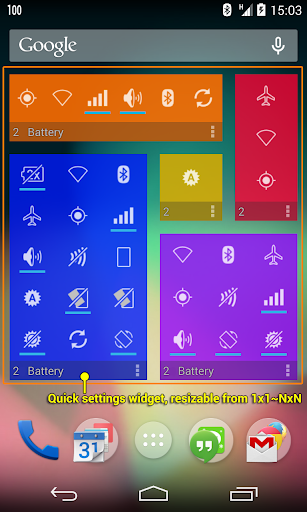
Does the phone run out of battery quickly? Does the phone always die at crucial moment? This app extends many extra hours to the battery life by managing Internet connection intelligently and in the background.

*** More Than 10,000,000 Downloads! ***

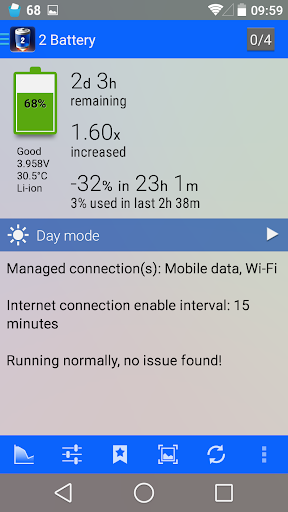
You don't need to manually turn on/off the Internet connection anymore. This app extends battery life by using a smart algorithm to turn on/off the Internet connection, reduce battery consumption and data usage, but still keep the important background data synchronized.

1. Auto manage 3G/4G/WiFi connection in the background
2. Show battery level and usage in the status bar
3. Efficient & easy to use

Toggling mobile data does not work on Android 5 unless you use a rooted device. We can still help to toggle Wi-Fi or use screen filter for saving the battery.

INSTALL AND FORGET
Or take time to configure the settings to get the most out of it and the longest battery usage time!

SATISFIED OR MONEY BACK GUARANTEE
Try PRO version for 24 hours and get a refund if you don't like it.

FEATURES
★ Manage Internet connection intelligently in the background
★ Configurable enable intervals and settings
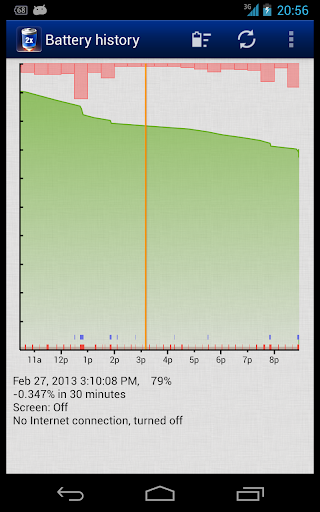
★ Detailed battery usage curve and information
★ Support whitelist and blacklist
★ Support night mode (PRO-only)
★ Battery icon theme is changable
★ Fully charged notification and low battery warning
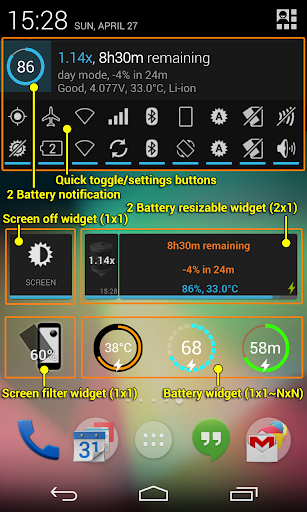
★ Build-in screen filter to further reduce the screen brightness
★ Auto turn off the screen when you put the phone upside down on the table or into the pocket
★ Home screen widgets, battery level, quick settings
★ Display battery usage and time since last unplugged, estimated battery run out time, battery health status, voltage, temperature, etc. information

2 Battery Add-on
★ provide more battery icon themes

DashClock EXTENSION
★ requires DashClock Widget by Roman Nurik
★ estimated battery run out time
★ detailed battery information
★ battery icon theme

Sony SmartWatch 2
★ warning when phone battery is low
★ phone battery app and widgets for battery level and remaining time
★ support low power mode
★ Smart Connect extension for SmartWatch 2

Sony SmartWatch 1
★ warning when phone battery is low
★ LiveWare™ extension for SmartWatch

1Tap Cleaner Pro v2.50 APK (Paid)

Cover art
https://play.google.com/store/apps/details?id=com.a0soft.gphone.acc.pro

Description

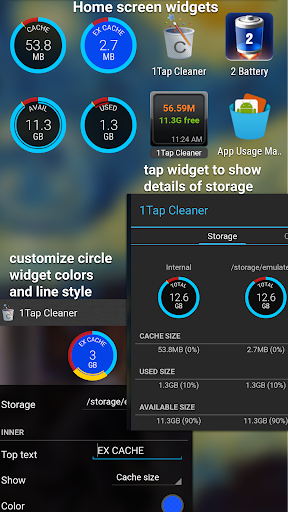
1-Tap to clean all cache, search histories and calls log. A defaults cleaner is also included.

Are you running out of application storage?
You now can get more available storage space by clearing apps created cache/data files.

*** Over 5,000,000 Downloads! ***

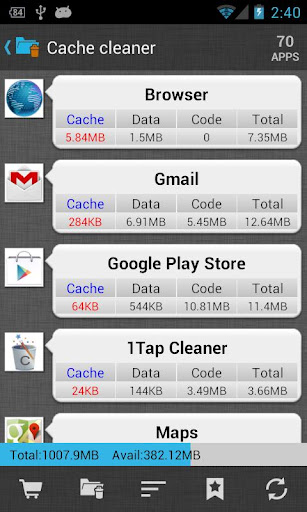
★ Cache Cleaner
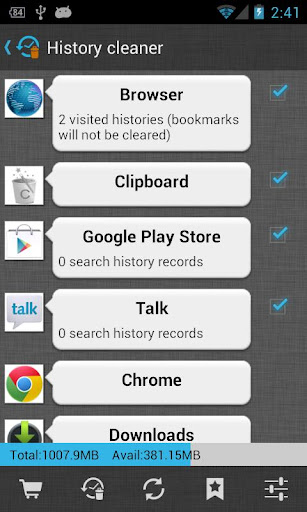
★ History Cleaner
★ Call/Text log Cleaner
★ Defaults Cleaner
★ SD Cleaner

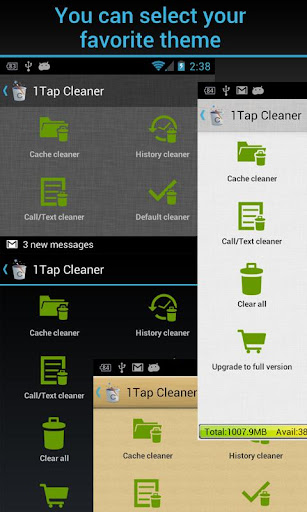
There are four cleaners included in this app. Cache Cleaner, History Cleaner and Call/Text log Cleaner help you to get more free space for the internal phone storage by clearing apps cached files, data files, or search/navigation history records. If you have selected to launch apps by default for some actions. Defaults Cleaner helps you to clear the default settings.

Auto or 1-tap to clear all cache, search history, calls log and the best is you don't have to ROOT the phone anymore! This app is crucial to anyone who has memory management issues.

★ 1-tap to clear all cached files
★ 1-tap to clear all search and browser navigation history records
★ 1 tap to clear calls log (incoming, outgoing, missed, frequently contacted)
★ list all default apps and clear selected defaults
★ home screen widget shows cache and available size
★ auto clear all cache and history at a specified interval
★ auto clear cache when the device is low on internal storage space
★ clear cache or history for a specified application
★ notify if apps used cache size large than you specified value
★ list applications by either cache, data, code, total size or app name
★ view application on Market
★ uninstall application
★ open application
★ show application details page

Required permissions:
* READ_CONTACTS, WRITE_CONTACTS: show and clear calls log
* READ_HISTORY_BOOKMARKS, WRITE_HISTORY_BOOKMARKS: show and clear browser navigation history records
* INTERNET: for sending the crash report

Same function as "1Tap Cleaner Free" app, but Ad removed and more auto clear interval options added.

For user's manual, FAQ, please tap MENU > Settings > About for details.

Reviews:
★ http://goo.gl/EaSd8 (Video)

*** Note for Android 4 (ICS) users ***
* Cache cleaner will not work for Android 4.0.1/4.0.2 due to the the Android system bug. Google fixed this problem in 4.0.3
* Android 4.0.x does not enable 3rd apps to clear frequently called log. Google fixed this problem in Android 4.1
***

You have to install this app on the phone storage if you want to use the widget function. It's required by Android.

We have been selected as a Google I/O 2011 Developer Sandbox partner, for its innovative design and advanced technology.

Google Play services v6.6.03 (1681564-876) APK

Cover art
https://play.google.com/store/apps/details?id=com.google.android.gms

Description

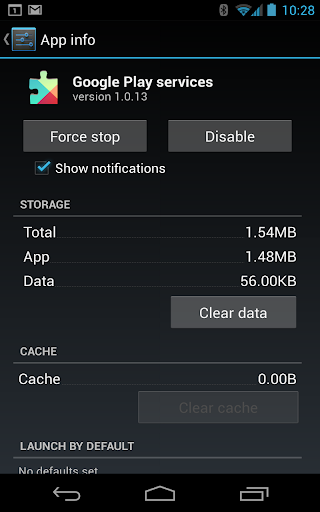
Google Play services is used to update Google apps and apps from Google Play.
This component provides core functionality like authentication to your Google services, synchronized contacts, access to all the latest user privacy settings, and higher quality, lower-powered location based services.
Google Play services also enhances your app experience. It speeds up offline searches, provides more immersive maps, and improves gaming experiences.
Apps may not work if you uninstall Google Play services.

Google Play Store v5.1.11 APK

Titanium Backup ★ root v7.0.0 APK

Cover art
https://play.google.com/store/apps/details?id=com.keramidas.TitaniumBackup

Description

☆Needs ROOT, Android 1.5-5.0+ (ARM,x86,MIPS)
☆Over 17 million users, 30+ languages.
☆PRO Key is available on Play Store!
☆Voted #1 TOP ROOT APP on Twitter.
☆Problem? See titaniumtrack.com/kb
☆Scroll down for more info & DEMO VIDEOS ;-)
☆ ☆ ☆

Titanium Backup is the most powerful backup tool on Android, and then some.

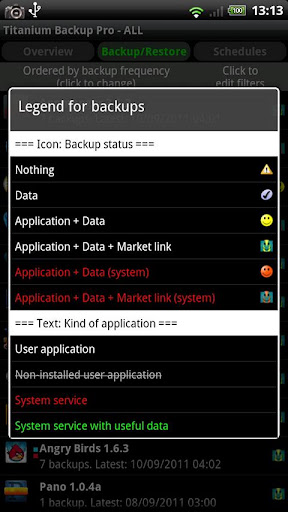
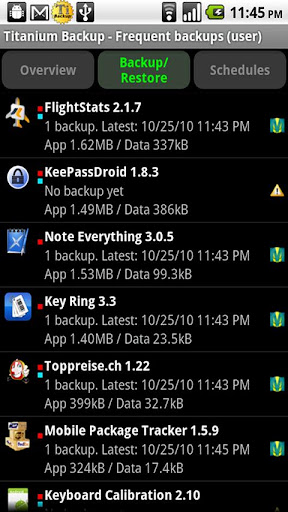
You can backup, restore, freeze (with Pro) your apps + data + Market links. This includes all protected apps & system apps, plus external data on your SD card. You can do 0-click batch & scheduled backups. Backups will operate without closing any apps (with Pro). You can move any app (or app data) to/from the SD card. You can browse any app's data and even query the Market to see detailed information about the app.

Also see the paid PRO key which adds EVEN MORE awesome features such as:
[✔] 0-click batch restores
[✔] Keep multiple backups per app
[✔] Backup/restore SMS,MMS,calls,bookmarks,Wi-Fi AP as XML
[✔] Multi-user app data
[✔] Apps freezer
[✔] Sync to/from Dropbox (manual/scheduled)
[✔] Sync to/from Box (manual/scheduled)
[✔] Sync to/from Google Drive (manual/scheduled)
[✔] TB Web Server: download/upload your backups as a single ZIP on your computer
[✔] Convert user apps <=> system apps
[✔] Integrate system app updates into ROM
[✔] Encryption
[✔] Market Doctor (relink apps to Market)
[✔] "Destroy all Market links" feature
[✔] Hypershell speed
[✔] Backup apps without closing them!
[✔] Create your own update.zip containing apps+data!
[✔] Restore individual apps+data from non-root ADB backups!
[✔] Restore individual apps+data from CWM backups!
[✔] Restore individual apps+data from TWRP backups!
[✔] Market "auto updating" manager
[✔] Dalvik cache cleaner
[✔] Integrate Dalvik cache system elements into ROM
[✔] Unlimited schedules
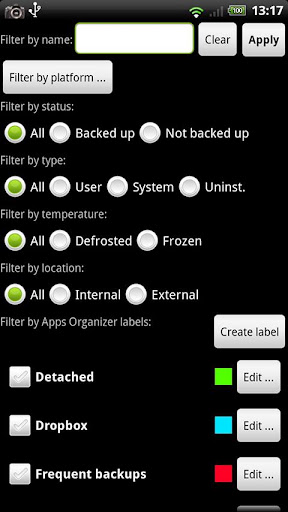
[✔] Load/Save a Filter and use it in Widgets/Schedules
[✔] Change the device's Android ID, restore it from a backup or after a factory reset
[✔] Protect backup against deletion
[✔] Send backup (to e-mail/cloud) and import it in 1 click
[✔] Backup→Verify→Un-install an app in one shot
[✔] Freeze/defrost/launch apps in a single click
[✔] CSV export any app DB (e-mail or Google Docs)
[✔] Convert app data to/from fast WAL format
[✔] WAY MORE!